
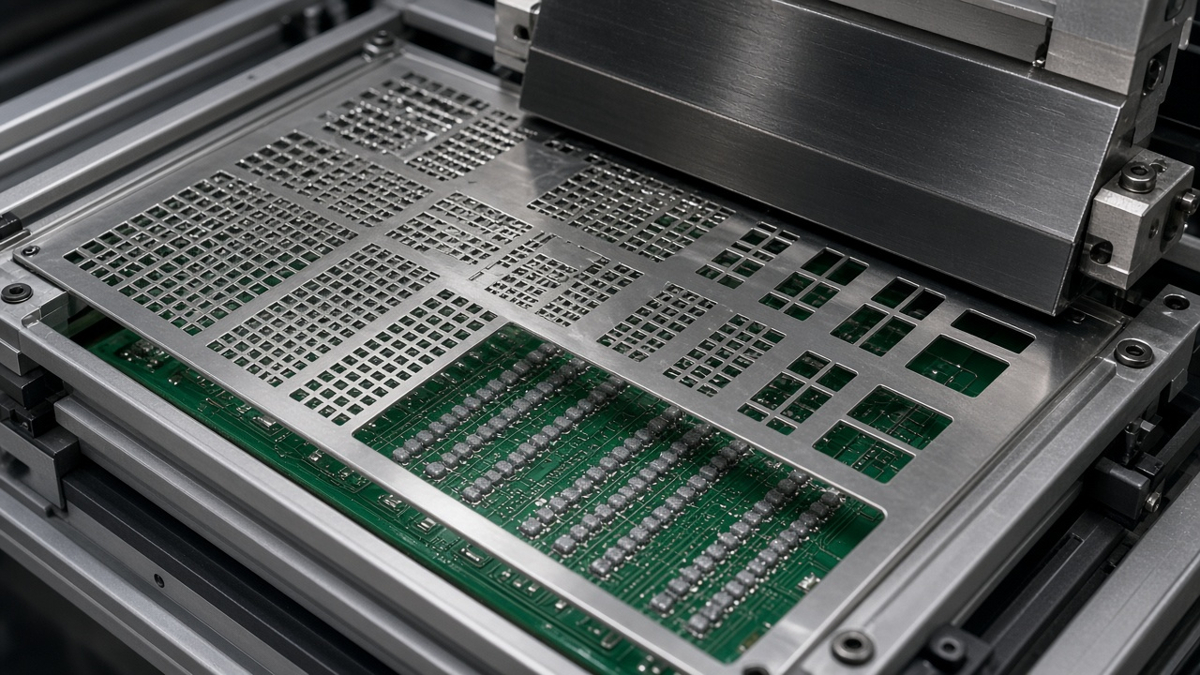
Most stencil problems are decided before the stencil is cut. The paste layer exported from CAD is usually a copy of the copper pads, sometimes with a global shrink applied. That file is a starting point, not a print design. A stencil that prints well on a real board is the result of a few dozen small aperture decisions—per package, per pad, sometimes per pin—made by someone who knows the foil thickness, the paste, and the reflow behavior of each part.
This article walks through those decisions in the order an assembly engineer actually makes them when a new board arrives: first checking whether each aperture can release paste at all, then adjusting apertures package by package, then deciding whether one foil thickness can serve the whole board, and finally writing a stencil order that leaves nothing to guesswork. It assumes you already know what a stencil is and how a printer works. If you want the process overview, our post on the SMT PCB assembly process covers the line from printing through test.
Start with what the paste layer does not tell the stencil maker
Open a typical paste layer and you will find one of three things: pads copied one-to-one, pads uniformly reduced by a fixed amount, or nothing at all because the designer assumed "the assembler handles it." Each leaves important questions open:
- Which parts must not be printed. Hand-placed parts, press-fit pins, test points, fiducials, and pads for parts that are "do not populate" often still appear in the paste layer.
- Which pads need more paste than their copper suggests. Pin-in-paste through-hole leads, large connector tabs, and shield-can feet commonly need overprint or enlarged apertures.
- Which pads need much less. Exposed thermal pads under QFNs and power packages almost never want a full-area print.
- What foil thickness was assumed. A paste layer that works at one thickness can bridge or starve at another.
- What paste type and powder size the line will use. Fine apertures and fine powder go together; the stencil design should know which paste is planned.
None of these can be read from copper geometry. They come from the bill of materials, the assembly drawing, and the process plan. When we receive a paste layer without this context, the first engineering question back to the customer is almost always about one of these five items.
Can each aperture release paste? The area ratio check
Before any package-specific tuning, check whether paste will leave each aperture and stay on the pad. Paste release is a contest between the paste's adhesion to the pad and its adhesion to the aperture walls. The pad side has the area of the opening; the wall side has the perimeter times the foil thickness. IPC-7525, the stencil design guideline, expresses this as two ratios:
- Area ratio = aperture opening area ÷ aperture wall area. For a rectangular aperture of length L, width W, and foil thickness T, that is (L × W) ÷ (2 × (L + W) × T). For a circle of diameter D, it simplifies to D ÷ (4 × T).
- Aspect ratio = smallest aperture width ÷ foil thickness, a simpler check that matters for long, narrow openings.
The guideline gives general minimums for each ratio—commonly cited as roughly 0.66 for area ratio and 1.5 for aspect ratio in laser-cut stainless—as a design starting point. Below these, release becomes unreliable: paste stays in the aperture, deposits come out short or ragged, and the problem gets worse as the stencil wears or the paste dries during a long run. Finer powder, smoother aperture walls, and stencil coatings can extend what prints reliably, but they change the margin, not the physics.
Run this check on every unique aperture size, not just the smallest pitch part. The usual offenders are not the obvious fine-pitch ICs—everyone looks at those—but small round BGA pads, 0201 and smaller passives, and narrow connector fingers whose width is small even though the pitch looks generous.
When an aperture fails the check, there are only a few levers:
- Thin the foil (for the whole board, or locally with a step).
- Enlarge the aperture, if the pad and neighboring clearances allow overprint onto solder mask.
- Change aperture shape—a square with radiused corners releases better than a circle of the same width, because it has more area per unit of perimeter.
- Improve wall quality with finer laser cutting, electropolishing, or an electroformed foil.
- Add a release coating to reduce paste adhesion to the walls.
Each has a cost. Thinning the foil reduces paste everywhere, which starves large parts. Overprint risks solder balls if the paste does not pull back during reflow. Electroformed foils cost more and take longer. The rest of this article is about choosing among these trades package by package.
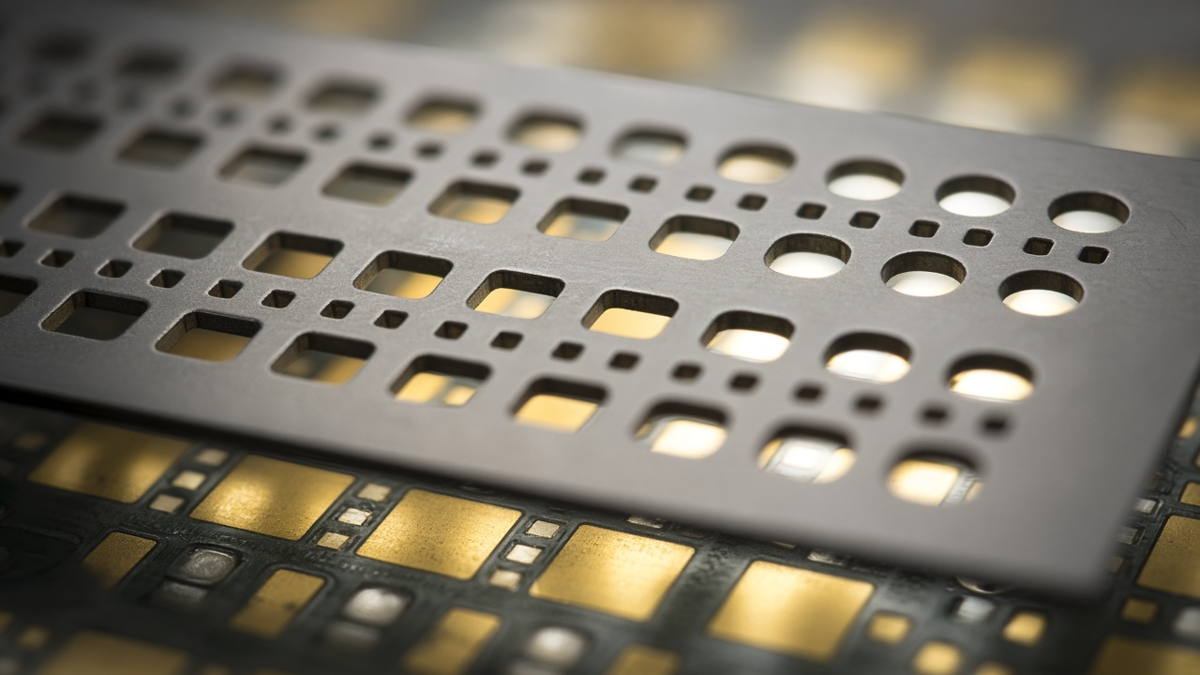
Package-by-package aperture decisions
The rules below are the conventional starting points we see in practice. They are not universal values; the right reduction or shape depends on pad design, foil thickness, paste, and the reflow profile. Treat them as the questions to ask, and confirm with a first-article print and inspection.
Chip passives: preventing tombstones and mid-chip balls
For small chip resistors and capacitors, two defects dominate. Tombstoning happens when one end wets before the other and the surface tension imbalance lifts the part. Mid-chip solder balls form when paste printed under the component body is squeezed out during placement and reflows into a ball beside the part.
Aperture shaping addresses both. Common approaches include:
- Reducing the inner portion of the aperture, so less paste sits under the body. Shapes like the "home plate" (a pentagon pointing inward) or an inverted U leave the inner edge of the pad lightly printed.
- Keeping both apertures identical, even when the copper pads are not, because uneven paste volume makes tombstoning more likely.
- Checking for thermal imbalance in the copper, such as one pad on a plane and the other on a thin trace. The stencil cannot fully fix this; thermal relief or pad design changes are the real cure, and the stencil engineer should flag it.
For very small passives, the area ratio check frequently fails at the board's nominal foil thickness. That is often the first signal that the board needs a thinner foil or a step-down region.
Leaded fine-pitch ICs: bridging versus opens
For gull-wing QFPs and SOPs at fine pitch, the risk is bridging between leads. Typical practice reduces aperture width relative to the pad while keeping or slightly extending the length, and rounds the aperture ends. The goal is enough volume for a good heel fillet without paste spreading sideways into the gap.
Watch the coplanarity of the part as well. A lead that does not touch the paste will open no matter what the aperture does. If a package has known coplanarity variation, slightly more volume—usually through length, not width—gives tolerance.
QFN, DFN, and other bottom-terminated components
These parts produce more stencil questions than any other family, because they combine small perimeter pads with a large exposed thermal pad.
Perimeter pads. Paste here forms a small fillet and a thin joint under the terminal. Aperture size is usually close to pad size, sometimes extended slightly outward beyond the package edge to aid inspection of the toe. The area ratio for these narrow pads must pass.
Thermal pad. Printing the full pad area at full foil thickness puts so much paste under the part that it can float during reflow, lifting the perimeter terminals off their paste and causing opens. Trapped flux volatiles also produce large voids. The conventional answer is to divide the thermal pad aperture into a grid of smaller windows ("windowpane"), printing a reduced fraction of the pad area. How much to reduce depends on via placement in the pad, the package datasheet, the paste, and the required thermal and voiding performance. Many component makers publish a recommended stencil pattern; it should be the starting point.
Vias in the thermal pad. Open vias wick solder away from the joint and can leave voids or solder protrusions on the other side of the board. Whether vias are tented, plugged, filled and capped, or left open affects the windowpane layout. Place windows between vias, not over them, unless the vias are filled and planarized. This is a fabrication decision as much as a stencil one, and it should be settled when the board is quoted.
Voiding expectations. Bottom-terminated components almost always show some voiding under the thermal pad on X-ray. Whether a given level is acceptable depends on the product's requirements and any customer specification. The stencil pattern is one of the main tools for controlling it, along with reflow profile and paste choice.
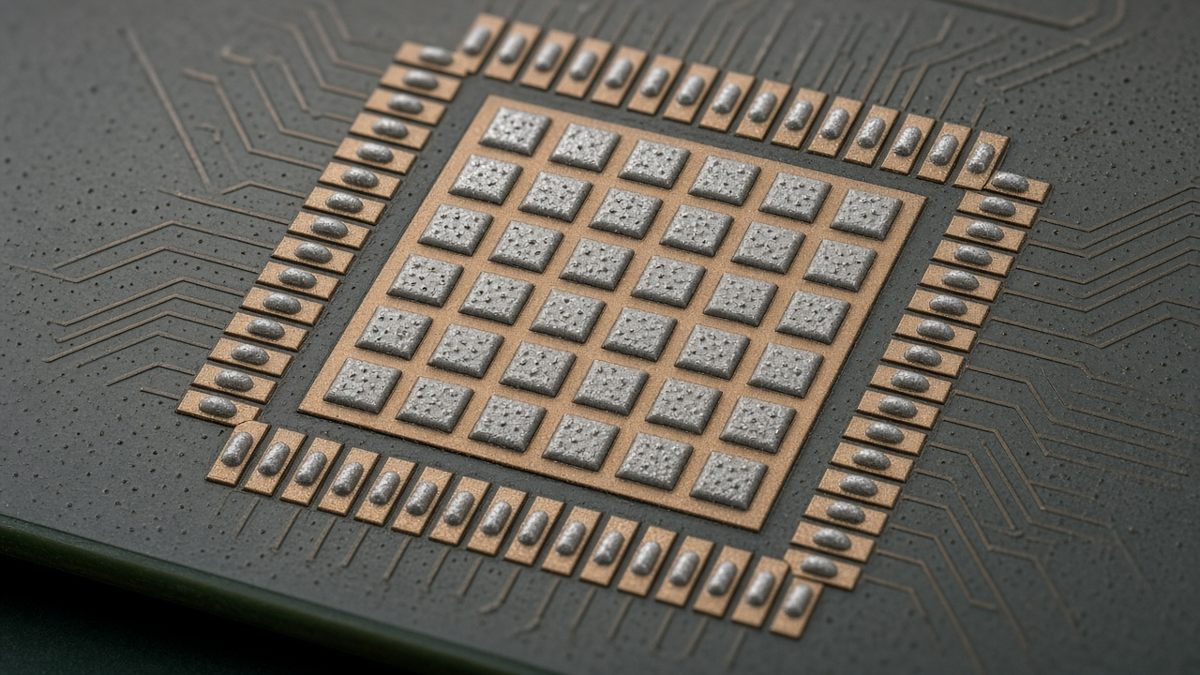
BGA and CSP: small round apertures
For BGAs, the paste volume adds to the ball volume. On larger-pitch BGAs with collapsible balls, apertures are often close to pad size. On fine-pitch CSPs, the pads become small enough that the area ratio becomes the controlling factor, and square apertures with rounded corners are often chosen over circles for better release.
Two points get missed often:
- Solder-mask-defined versus copper-defined pads. The aperture should be sized against the actual wettable area, which differs between the two pad styles.
- Non-collapsing balls and column grid arrays. These depend more heavily on paste volume and may need larger apertures or a locally thicker foil.
Through-hole leads printed with paste
Pin-in-paste (intrusive reflow) lets through-hole connectors be soldered in the reflow oven. The hole must be filled with enough solder to form a joint, and that volume is far larger than the pad alone would suggest. Calculations account for hole volume minus pin volume, plus fillet volume, adjusted for the paste's metal content after flux evaporates. The answer usually requires overprinting onto the solder mask around the pad, a locally thicker foil, or both.
Overprint must not extend so far that paste fails to pull back to the pad during reflow; otherwise it leaves solder balls on the mask. The component also needs to survive reflow temperatures, which is a part-selection question to settle before the stencil is designed.
Large pads: connectors, shields, power parts
Large pads print easily but can carry too much paste. Shield-can feet, power inductor terminals, and large connector tabs often benefit from windowpane division or reduction, both to control volume and to prevent the part from floating or skewing. Conversely, mechanical anchor tabs on connectors sometimes need more paste than the copper area implies to build a strong fillet. Check the part datasheet; many specify an aperture.
One thickness or a step? Deciding from the whole board
After the package-level work, you can see whether a single foil thickness serves everything. List the parts that want thin foil (the fine-pitch and small-aperture group) and the parts that want more paste (pin-in-paste, large connectors, non-collapsing BGAs). If both groups are present and aperture adjustments alone cannot reconcile them, the options are:
- Compromise thickness with aperture enlargement on the high-volume parts. This is the simplest and cheapest path, and it works more often than people expect.
- Step-down stencil, thinning the foil locally around fine-pitch parts.
- Step-up stencil, thickening it locally around high-volume parts.
Step stencils solve real problems but bring constraints. The squeegee must transition between thicknesses, so a keep-out distance is needed between the step edge and the nearest apertures on both sides. Dense boards may not have room. Steps on the board-contact side behave differently from steps on the squeegee side, and the stencil maker will have rules about which is possible. If your layout places a fine-pitch device right next to a large connector, the step clearance may simply not fit, and it is worth knowing that at layout time rather than at the stencil order.
There is also a third route that avoids steps entirely: dispense or preform extra solder for the few high-volume joints. That adds a process step and is usually reserved for cases where a step will not fit.
What the cut, finish, and frame change
The choice of manufacturing method should follow from the area ratio results, not from habit.
- Laser-cut stainless steel is the default for most boards. Modern laser cut SMT stencils produce slightly tapered walls that help release, and electropolishing smooths the walls further.
- Electroformed nickel stencils are built up rather than cut, giving very smooth walls suited to the tightest apertures. They make sense when the area ratio is marginal even after other adjustments.
- Release coatings applied to the underside and walls reduce paste adhesion, which can help marginal apertures and reduce underside cleaning frequency. Coatings wear, so they are a margin aid rather than a fix for a failing design.
- Framed versus frameless. Framed stencils are mounted permanently in a tensioned mesh frame and suit production printers with fixed frame sizes. Frameless foils use a reusable tensioning system and save storage space. Which is right depends on the printer and the expected life of the product, not on print quality alone.
Writing the stencil order so nothing is guessed
A stencil order is a specification, and like any specification, missing items get filled in with defaults. The following should be stated explicitly or confirmed in writing:
| Item | Why it matters |
|---|---|
| Board revision and paste layer file name | Prevents cutting from an outdated layer |
| Side (top, bottom, or both) | Bottom-side stencils are often forgotten for double-sided boards |
| Foil thickness, and any step areas with their thickness and outline | Sets paste volume for every pad |
| Aperture modifications applied, or authority for the assembler to apply them | Avoids two parties each adjusting, or neither |
| Parts excluded from printing | Hand-placed, press-fit, unpopulated, test points |
| Pin-in-paste and overprint locations | Needs deliberate design, not default reduction |
| Thermal pad patterns | Windowpane layout per part |
| Fiducials (half-etched or not), and their positions | Printer alignment |
| Panel layout and stencil orientation | Must match the actual assembly panel, not the single board |
| Frame type and size, or frameless | Must fit the line's printer |
| Cut method, finish, and coating | Follows from area ratio results |
| Stencil identification marking | Traceability between stencil, board revision, and product |
The panel item is a common source of rework. Stencils are cut to the panel the assembly line will print, including rails and fiducials, not to the single board in the design file. If the panel drawing changes after the stencil is cut, the stencil is scrap.
Of all the items, the most important is the modification authority. Either the designer delivers a finished paste layer and the assembler cuts it as supplied, or the designer delivers pads and the assembler's engineers apply their own aperture rules and send a modification report back for approval. Both work. A mixture—where the designer applied some reductions and the assembler applies its standard reductions on top—produces starved joints that nobody can explain. At XFPCB we prefer the second model for new products and send back a marked-up aperture report before cutting, but the key is that the order states which model is in effect. Our SMT stencil capability page lists what we can produce.
The first print tells you whether the design was right
No stencil design is complete until it has printed real boards. The first-article loop should include:
- Solder paste inspection of the first prints, looking at volume, area, height, and offset per pad. Systematically low volume on one aperture group points to a release problem; scattered low volume points to the process or the paste.
- Comparison against the area ratio predictions. Apertures near the guideline minimum are the ones to watch. If they print inconsistently on the first boards, they will get worse over a long run.
- Post-reflow inspection of the parts with modified apertures: X-ray for thermal pads and BGAs, visual or AOI for fillets on fine-pitch leads, and cross-section if pin-in-paste fill is in doubt.
- A record of what changed. If an aperture is modified after the first print, the change and its reason belong in the stencil record, and the stencil marking or revision should change too.
A stencil that needs heavy printer tuning—very slow speeds, frequent underside wipes, or extra pressure—to print acceptably is telling you the aperture design has thin margin. It may pass the first article and still drift in production as the paste ages or the stencil wears.
Deciding before layout is frozen
Several stencil decisions are actually layout decisions in disguise. If you are still in layout, these are worth settling now, because the stencil cannot fix them later:
- Pad symmetry and thermal balance on small passives, so tombstoning is solved in copper rather than fought in paste.
- Via treatment in thermal pads, agreed with the fabricator, so the windowpane can be designed around a known surface.
- Clearance between fine-pitch parts and high-volume parts, if a step stencil might be needed.
- Pin-in-paste candidates, with hole and pin sizes chosen so the required paste volume is achievable.
- Panel layout and fiducials, since the stencil follows the panel.
If layout is already finished, the practical next step is to run the area ratio check on every unique aperture at the intended foil thickness, list the parts that fail, and decide—before the order goes out—whether to thin, step, enlarge, or change the cut method. That list, plus a completed order table, is what turns a paste layer into a stencil that prints the first time.