
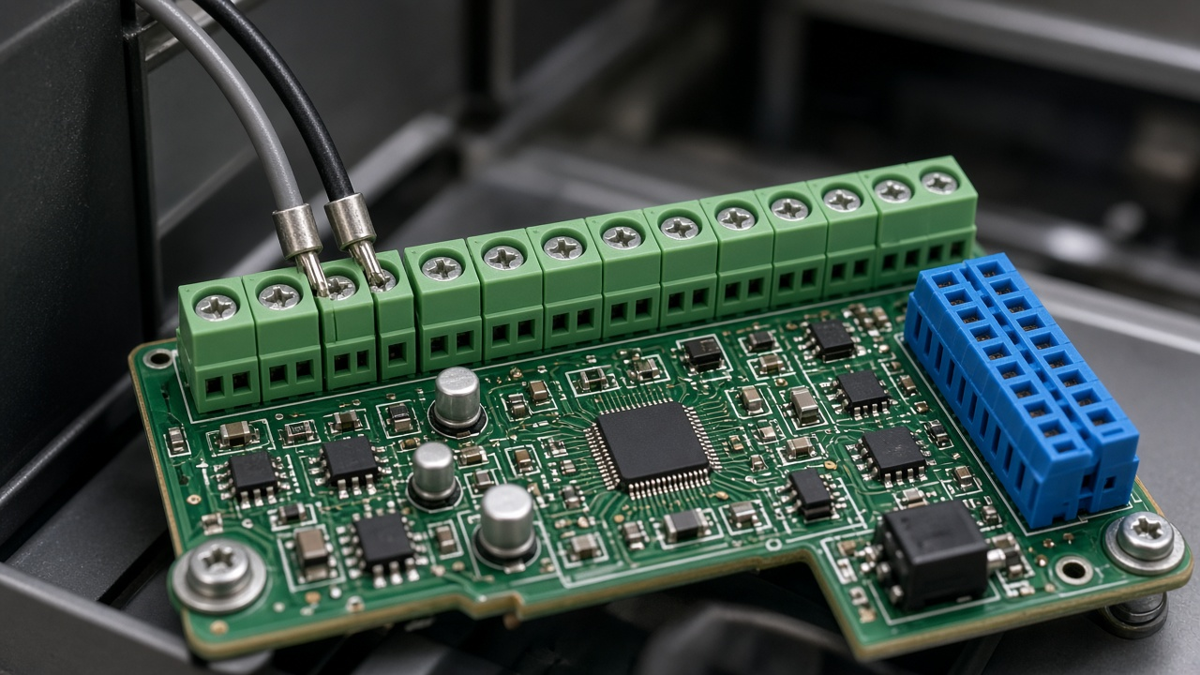
Screw terminal blocks are often chosen in the last week of a design: pick a pitch, pick a pin count, drop the footprint from the library, done. Most selection guides reinforce that habit by reducing the decision to a table of pitches and nominal current ratings. The terminal's catalog rating, however, describes the terminal—not the joint, the copper, the spacing, or the soldering process on your board. When terminal blocks fail in the field, the failure is very often on the PCB side: a joint that never filled the barrel, a trace that runs hot at the pin, creepage that was fine on paper but not across a contaminated surface, or pads lifted by an installer's screwdriver.
This article is about that board side. It covers how to size the current path from wire to copper, how to treat creepage and clearance around terminals, how to design holes and pads that solder reliably, which soldering process suits which terminal, and how field wiring loads the joint. We write from XFPCB's assembly floor, where terminal blocks are among the most common through-hole parts on industrial, power and lighting boards. For catalog-level choices—screw versus spring versus push-in, pluggable versus fixed—your terminal supplier's data sheet and application notes are the authority; here the focus is on making the chosen part work on a PCB.
Start from the catalog rating, then derate for your board
A terminal block's rated current and voltage come from its manufacturer's testing under defined conditions, typically against a product standard for terminal blocks, with specified wire sizes and ambient temperature. Those conditions rarely match your board exactly. Several factors reduce what you can actually pass:
- Ambient temperature inside the enclosure. Ratings often include derating curves; a terminal near a hot power stage sees a higher ambient than the bench.
- Adjacent loaded poles. Multiple poles carrying current side by side heat each other.
- Wire size actually used. Smaller wire than the rating assumes adds heat at the clamp.
- PCB copper. The terminal pin dissipates heat into the board. Thin copper and narrow traces mean the pin runs hotter than in the manufacturer's test.
- Approval requirements. End-product standards may require ratings and spacing beyond the terminal's own.
Use the manufacturer's derating data, and treat the PCB copper as part of the thermal path rather than an afterthought.
The current path: wire, clamp, pin, joint, copper
Current flows from the wire through the clamp, into the terminal's pin, through the solder joint and plated barrel, and out into copper. Each step has resistance and each dissipates heat.
Pins per pole. Many power terminals have two pins per pole. Both should be soldered and both should connect to the copper; a pole with one pin tied to a thin trace and the other floating carries all current through one joint.
Barrel and joint. The plated through-hole barrel and the solder fill carry current between pin and inner or bottom copper. A partially filled barrel reduces both current capacity and mechanical strength. Acceptance criteria for vertical fill and wetting under IPC-A-610 apply, and power joints deserve the stricter end of what your class allows.
Copper connection. Connect the pad to a plane or a wide pour where possible, on more than one layer if the board is multilayer, with vias stitched near the pad. Size the copper using current-carrying guidance such as IPC-2152 for the temperature rise you can accept, remembering that conductor temperature near the terminal adds to the terminal's own temperature.
Copper weight. For high current, heavier copper may be needed. That affects etching tolerances, minimum spacing, and soldering heat demand; see our Heavy Copper PCB page and Copper Thickness Capability for what is practical.
Thermal reliefs. Thermal relief spokes make soldering easier but restrict current and heat flow. For high-current terminals, you may need direct connection on some layers and reliefs on others, chosen together with the soldering process—more on this below.
Creepage and clearance around terminals
Terminal blocks are where mains, field wiring, and high voltages most often enter a board, so they are where spacing matters most.
- Clearance is the shortest distance through air between conductive parts.
- Creepage is the shortest distance along a surface.
Required values depend on working voltage, pollution degree, overvoltage category, material group (comparative tracking index of the board and housing), and the end-product safety standard. IEC 60664-1 is the common basis for insulation coordination; many product standards set their own values on top. We do not quote universal numbers here because they depend on all of those factors.
Board-side considerations for terminals:
- Terminal housing versus board. The terminal's housing provides insulation between its own poles, but on the board the pads, traces and solder joints of adjacent poles are bare. Spacing on the PCB between the solder sides of adjacent poles must meet your requirement independently.
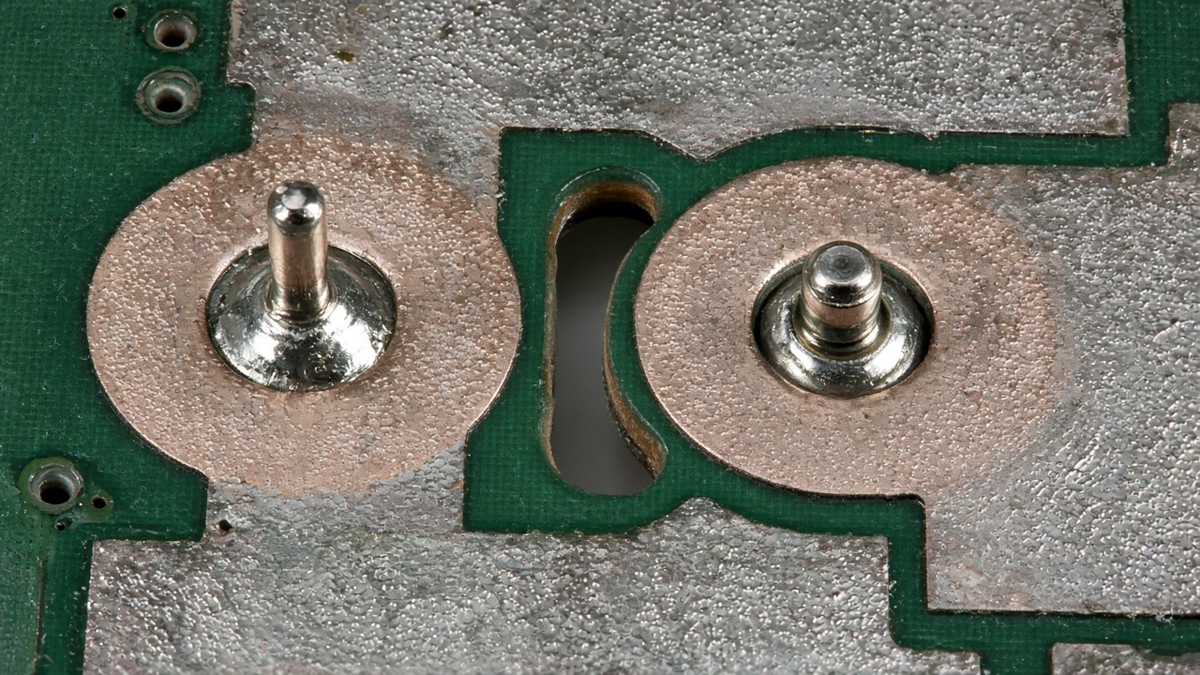
- Pitch is not spacing. A terminal pitch gives center-to-center distance; creepage between pads is pitch minus pad size, and can be further reduced by solder spread or fillets.
- Slots. Milled slots between high-voltage pads increase creepage by forcing the path around the slot. Slots must be wide enough to count under your standard, and they must appear on the fab drawing as routed features.
- Solder mask is not insulation for spacing purposes in most safety standards. Do not rely on mask to make up a spacing shortfall.
- Contamination and coating. Flux residue and contamination reduce surface resistance. If the board is coated, the coating's effect on required spacing depends on the standard and the coating's qualification.
- Wire stripping. Field wires stripped too long can leave bare conductor outside the clamp, reducing clearance to the adjacent pole. That is an installation instruction, but your terminal choice (with or without finger-safe design) affects it.
Product approval is the final word: confirm spacing with your compliance engineer and testing lab, then put the values on the drawing.
Footprint: holes, pads, and the library trap
Many terminal footprint problems come from library footprints copied without checking against the specific part.
Finished hole size. The hole must accept the pin's maximum cross-section, including its diagonal for square or rectangular pins, with clearance for plating tolerance and for solder to flow. Too tight and parts do not insert or the barrel cannot fill; too loose and solder falls through or the part sits crooked. Use the terminal manufacturer's recommended hole size for the exact part, and state finished, not drilled, sizes.
Annular ring and pad. A generous pad improves fillet formation and mechanical strength, but larger pads reduce spacing between poles. Balance against your creepage requirement.
Pin length versus board thickness. Pin protrusion matters for fillet formation and for wave or selective soldering. Check that the part's pin length suits your board thickness.
Mixed families. A footprint for one manufacturer's 5.0 mm terminal may not fit another's 5.08 mm part, and pluggable headers from different families differ in mounting pegs and locking features. Lock the MPN in the BOM and the footprint in the library together.
Mounting pegs and flanges. Some terminals have non-plated locating pegs or solderable flanges. Their holes belong on the drill drawing with correct plating.
Soldering processes for terminal blocks
Terminal blocks carry a lot of thermal mass—the metal of the clamp and pins—and connect to heavy copper. That combination makes them one of the more demanding through-hole parts to solder well. Our Through-Hole Assembly line uses several processes, chosen per board.
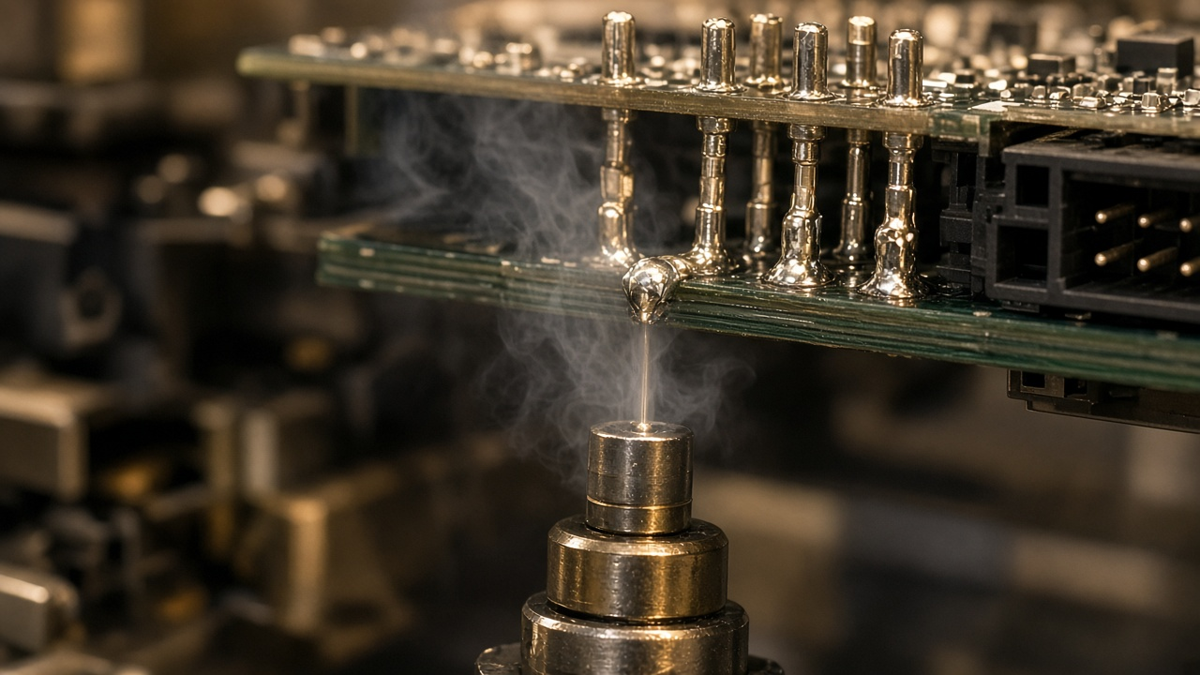
Wave soldering. Efficient for boards dominated by through-hole parts. Bottom-side SMT parts must be wave-compatible or masked by a pallet. Terminal orientation relative to the wave, and spacing to adjacent parts, affect bridging. Heavy copper planes can rob heat so that barrels do not fill; preheat and contact time are tuned for the worst joint.
Selective soldering. A mini-wave or nozzle solders specific joints, ideal for mixed boards where most parts are SMT. Each terminal joint gets its own dwell and can be tuned for its copper. Keep-out space around terminals for the nozzle must be designed in.
Pin-in-paste (intrusive reflow). Paste is printed into and around the hole, the terminal is placed, and it reflows with SMT parts. This avoids a second soldering process but requires the terminal housing to tolerate reflow temperatures, enough paste volume to fill the barrel, and correct stencil design. Not every terminal housing is rated for reflow; check the data sheet.
Hand soldering. Acceptable in prototypes and small runs, but heavy terminals on heavy copper are difficult to solder consistently by hand. Insufficient heat leaves cold joints and poor barrel fill.
Thermal relief and process together
The thermal relief decision cannot be made without knowing the process. A direct plane connection might solder well in a well-preheated wave and poorly with a hand iron. For pin-in-paste, reliefs that are too restrictive leave the copper side cold. If high current demands direct connection on several layers, choose selective or wave with adequate preheat, and confirm with your assembler before release.
Housing material and process temperature
Terminal housings are molded thermoplastics with stated temperature ratings and flammability classifications. Two practical points:
- Process compatibility. Wave and selective soldering expose the housing mostly to radiant heat and solder splash; pin-in-paste exposes it to the full reflow profile. Only use reflow-rated housings for pin-in-paste.
- Operating temperature. The housing's continuous operating temperature limit includes self-heating from current. A terminal at its current rating in a hot enclosure may exceed it.
Mechanical loading from field wiring
A terminal block is the one part on the board that an installer pushes, pulls and torques. That load goes into the solder joints and pads.
- Screw torque. Overtightening transfers force through the housing to the pins. Specify the terminal manufacturer's torque in installation instructions.
- Wire pull and strain relief. Heavy wires that are not strain-relieved by the enclosure hang from the terminal and fatigue the joints under vibration.
- Board support. Place terminals near mounting points or add support so that screwdriver pressure does not flex the board and crack nearby ceramic parts.
- Pluggable terminals. Repeated plugging and unplugging loads the header's joints; locking or screw-flanged headers reduce stress.
- Ferrules. Fine-stranded wire should normally be fitted with ferrules where the terminal manufacturer recommends it; stray strands are a common cause of shorts between poles.
For boards in vibration-heavy environments, such as those for Industrial Control, spring or push-in terminals may hold wires more consistently under vibration than screw terminals, but the board-side joint and support rules still apply.
Inspection and test of terminal joints
Terminal joints are visible from the solder side and partly from the component side. Inspection should check:
- Barrel fill and wetting against the class you build to.
- No solder bridges between poles, which are a safety issue as well as a functional one.
- Housing seated flat and square, with no tilt that loads one row of pins.
- No damage or discoloration to the housing from soldering heat.
- No flux residue in creepage paths, especially on high-voltage boards.
For high-voltage terminals, a dielectric withstand (hipot) test at the board or product level verifies spacing and cleanliness together.
RFQ and drawing checklist for terminal blocks
- Terminal MPN locked in the BOM; footprint built from that part's data sheet.
- Finished hole sizes and plating for pins and pegs on the drill drawing.
- Creepage and clearance values for each voltage group on the fab drawing, with slots routed and dimensioned.
- Copper weight and connection style (direct or relieved, by layer) chosen with the soldering process.
- Soldering process stated or agreed: wave, selective, pin-in-paste, or hand.
- Housing temperature rating confirmed for the process.
- Workmanship class and any special acceptance for power joints.
- Cleaning requirement where creepage or coating matters.
- Hipot or other electrical test requirement if applicable.
- Torque and wire preparation in product installation documentation.
Decide the soldering route before layout freeze
Of the ten items above, the soldering process is the one that quietly decides several others. It sets whether pads can connect directly to planes or need reliefs, whether the housing must be reflow-rated, how much keep-out the nozzle or pallet needs around each terminal, and which hole size will actually fill. If the route is still "whatever the assembler prefers" when the layout is frozen, expect the first article to reopen the footprint. Agree it with the assembler while copper and spacing can still move; after that, the only remaining levers are slower profiles and hand touch-up on the joints that carry the most current.