
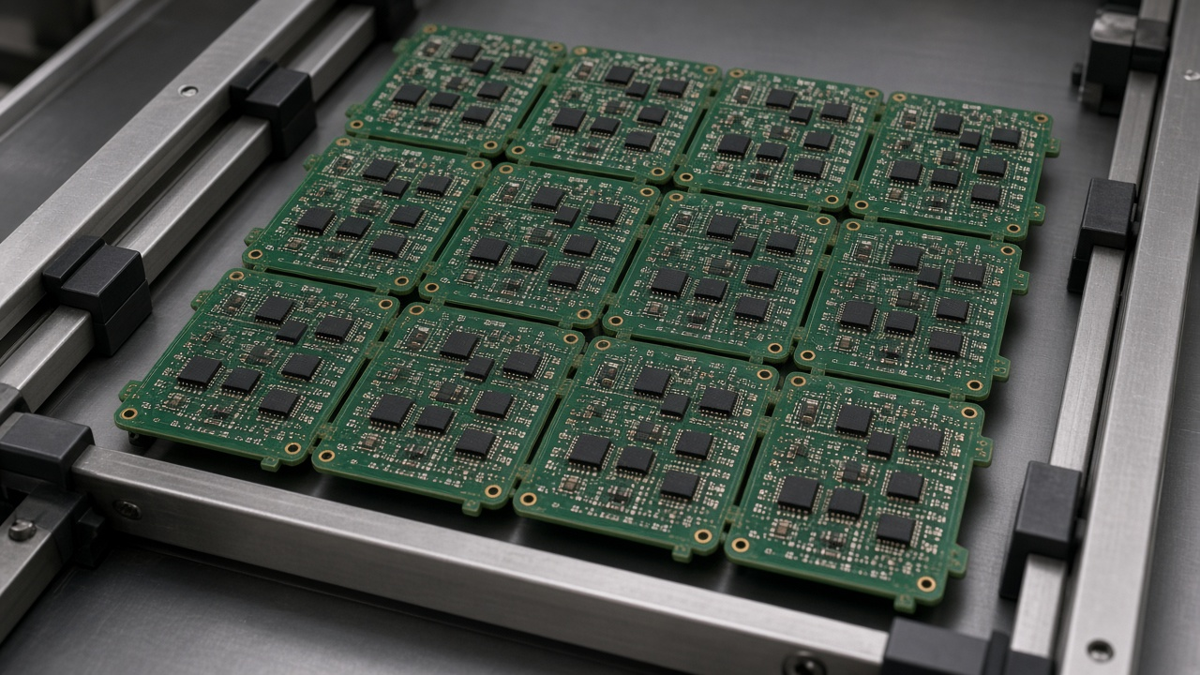
Most panelization articles hand you a table of "standard" dimensions: rail width, fiducial diameter, tooling hole size, mouse-bite pitch. Those numbers are not wrong as starting points, but they are not what makes a panel succeed. A panel succeeds when the person who designed it, the fab shop that builds it, the assembly line that populates it, the test station that probes it, and the operator who separates it all work from the same definition. In practice that definition is the assembly panel drawing, and it is the document buyers most often leave to chance.
This article looks at panelization from the assembly floor at XFPCB, where we fabricate the bare panel and run it through SMT, through-hole, test, and depaneling. It is written for the buyer or hardware engineer who has to decide whether to supply a panel or let the factory build one, and who wants to know what the drawing must say. We do not publish universal dimension tables here, because the right rail width or break-tab layout depends on board size, thickness, component placement, line equipment, and test method. Instead we cover the decisions, the failure modes behind them, and the questions that close engineering queries (EQs) quickly.
If your concern is how panel utilization drives bare-board price, see our post on PCB cost traps in panel use, vias and finish. If your concern is ceramic capacitors cracking near break lines, our MLCC cracking and depaneling layout article goes deeper. Here the subject is the assembly panel as a controlled, documented object.
Who owns the panel?
The first decision is ownership, and it is surprisingly often unstated.
- Customer-defined panel. You supply a panel drawing (and often panel Gerbers). The fab builds exactly what you drew. The assembler must accept it or raise EQs. This is common when the product has a contract manufacturer already qualified on a fixture, or when an in-circuit or functional test fixture has been built around a specific array.
- Factory-defined panel. You supply single-board data and the factory designs the array to suit its fab panel and assembly line. This is efficient for prototypes and early builds, but you must review and approve the result, because it affects test fixtures, stencil design, and how boards are marked.
- Hybrid. You define constraints—orientation, keep-outs near break lines, maximum array size, depanel method, X-out policy—and the factory lays out the array inside those constraints.
Whichever model you choose, write it on the order. "Panelize as needed" invites a panel optimized for laminate utilization rather than for your assembly and test. When fab and assembly are separate suppliers, the risk doubles: the fab may panelize for its press size and leave the assembler a panel with no rails or fiducials in usable positions.
What an assembly panel drawing should contain
A complete panel drawing answers every question the line will otherwise ask. We look for:
- Array definition – number of boards, step-and-repeat pitch in X and Y, board orientation (and whether any boards are rotated or mirrored), and the panel outline with overall dimensions.
- Separation method per edge – which edges are V-scored, which are tab-routed, which are routed fully, and whether any are combinations (jump scoring, for example).
- V-score parameters – score angle, remaining web thickness or tolerance, whether scoring stops short of the panel edge, and the tolerance on score position relative to the board outline.
- Tab and breakaway definition – tab locations, tab width, perforation pattern if used, and which side the perforations sit so residual nubs fall where the enclosure allows.
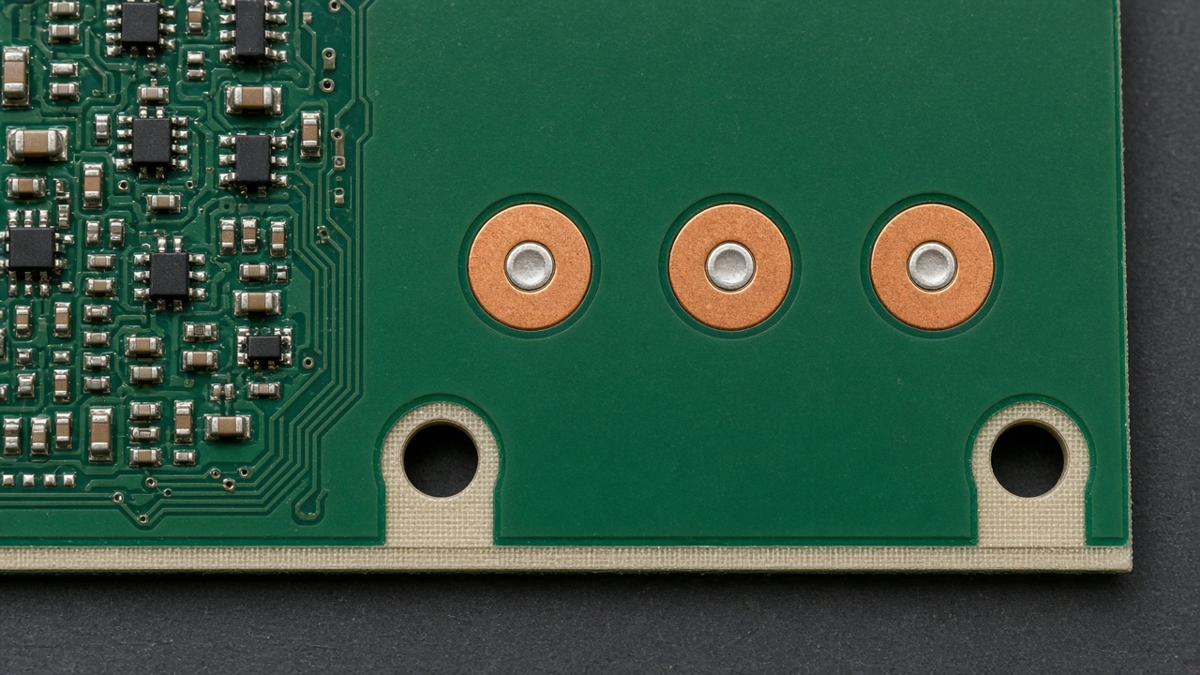
- Rails – which sides carry rails, their width, and any features on them: fiducials, tooling holes, labels, barcode area, and test coupons.
- Fiducials – global fiducials on rails, local fiducials on each board or near fine-pitch parts, their pad size, solder mask clearance, and copper-free zone.
- Tooling holes – size, plated or not, and positions with tolerance relative to fiducials.
- Keep-out zones – distances from break lines to components, pads, and copper that you, not the factory, have accepted for your design.
- Marking – board serial or position markers, array identifiers, date code area, and how an X-out is marked.
- X-out policy – whether the panel may ship with failed or scrapped positions, how many are allowed per panel, and how they are flagged.
- Depanel method and stress limits – manual break, blade, router, punch, or laser, plus any strain limits you require near sensitive parts.
- Revision and data link – the panel drawing revision tied to the board revision and to the assembly data revision.
Our Manufacturing Files guide describes how the panel drawing sits with the fab drawing, Gerbers, BOM and pick-and-place in a complete package.
Rails: what they are really for
Rails give the conveyor something to grip, keep components clear of conveyor edges and clamps, and provide space for fiducials, tooling holes, and labels. On the drawing, rails are not just a width; they are a set of functions.
- Conveyor clearance. SMT conveyors and reflow belts hold the panel by its edges. Parts placed too close to the edge on a board without rails may be knocked off, shadowed, or clamped. The rail must be wide enough for your assembler's equipment—ask them rather than assuming.
- Rigidity. Thin boards and V-scored arrays sag in reflow. A rail on all four sides, or support bars across long spans, keeps the panel flat during printing and reflow. Sag during printing causes paste smearing and misprinted fine-pitch pads; sag in reflow causes warpage and BGA defects.
- Bottom-side clearance. If the panel goes through reflow twice, the second pass is upside down, and heavy parts on the bottom must stay put. Rails also determine whether the panel can sit on a support pin field without pins hitting parts.
- Wave or selective solder pallets. Through-hole processes often use pallets that grip rails or board edges. Define which.
When a board already has wide, clear edges—common on larger industrial boards—the board itself can act as the rail. State that explicitly, and make sure the edge region is free of parts and copper over the width your assembler needs.
Fiducials: global, local, and the copper-free zone
Fiducials let the printer, placement machine and AOI compute position, rotation, and scaling. Three global fiducials in a non-symmetric arrangement let the machine detect a panel loaded the wrong way round. Local fiducials near fine-pitch or large area-array parts let the placement machine correct for local stretch and registration.
Failures we see repeatedly:
- Fiducials covered by solder mask, silkscreen, or a coating, or with a mask opening so small that the edge of the mask is read as the fiducial.
- Fiducials placed on the break-off rail only, so once the array is depaneled for rework or selective soldering, no reference remains on the individual board.
- Fiducials too close to V-score lines, routing dust, or tooling holes, so they are chipped or contaminated.
- Different finishes on fiducials versus pads (for example a fiducial left under a selective finish mask), changing contrast unexpectedly.
Define the pad, mask clearance, and copper-free area on the drawing, and put at least two fiducials on each individual board if anything will happen to the board after separation.
V-score vs tab-route: deciding per edge, not per panel
Most arrays mix methods. The choice is per edge, driven by geometry, component placement, board thickness, and how the board will be separated.
V-scoring cuts a groove from both sides along a straight line through the full panel, leaving a web. It suits rectangular boards with straight edges and no overhanging parts. It is quick to separate with a blade, leaves a relatively clean edge, and allows zero spacing between boards. Its limitations are well known: lines must run edge to edge, it cannot follow curves, the web weakens the panel in reflow, and the break transmits bending stress into the board near the score. Components, especially ceramic capacitors and BGAs, need distance from the score, and their orientation relative to the line matters.
Tab-routing mills a slot around each board and leaves small bridges, often perforated. It handles irregular outlines, overhanging connectors, and boards with parts near the edge. Separation can be gentler if the tabs are cut by router or punch rather than snapped. Its costs are routing time, wider spacing between boards, and residual nubs that may need sanding or may interfere with enclosure fit.
Questions that decide the method:
- Does any component overhang the board edge? If so, V-score on that edge is usually ruled out.
- Are there ceramic parts, BGAs or tall heavy parts near the edge? Then either increase distance, orient them parallel to the break line, or use a separation method that does not bend the board.
- Is the board thin? Thin V-scored panels can droop or partially break in reflow; consider tab-route or more support.
- Will the enclosure tolerate nubs? If not, specify tab position and post-separation finishing.
- What depanel equipment will be used at volume? A design that works with a hand break at prototype quantities may not work with a punch or router fixture later.
Depanel stress: the failure you cannot see at final test
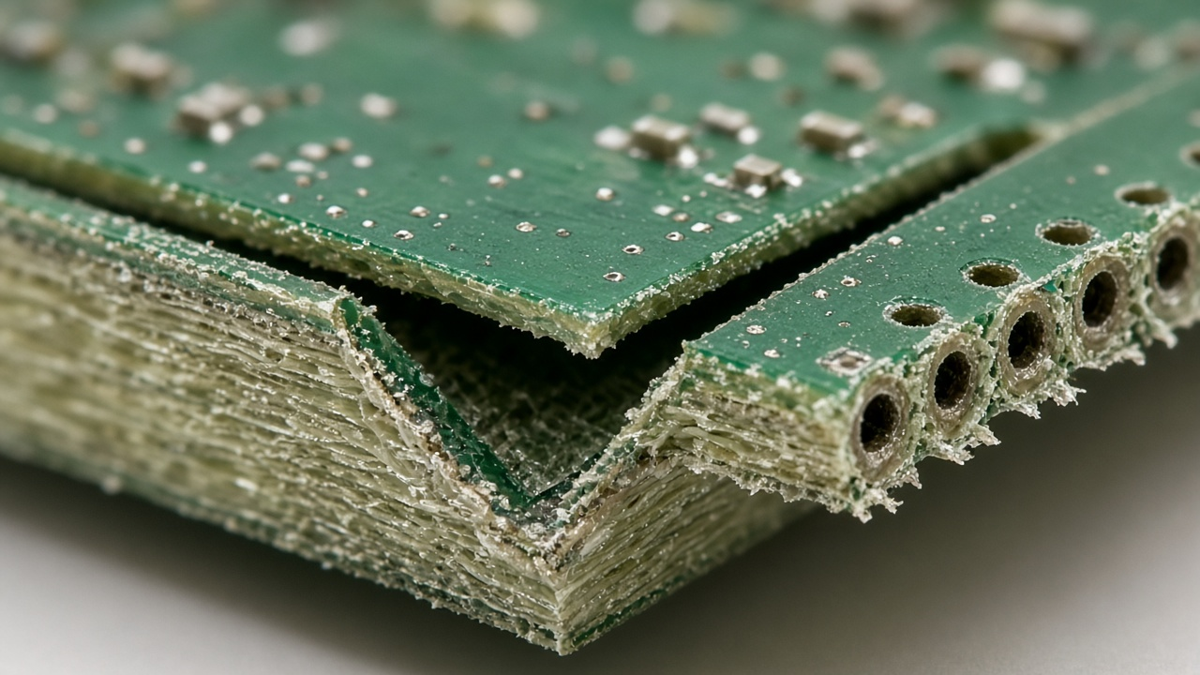
Depaneling is a mechanical event applied to a finished assembly. The stress concentrates at the break line and propagates into the board, and the components most sensitive to it—multilayer ceramic capacitors, BGAs, and chip resistors near edges—can crack internally without visible damage. These cracks may pass functional test and fail later in the field, often as leakage or intermittent behavior.
Practical controls:
- Choose the method that suits the components. Hand-breaking is common in prototypes but is the least controlled. Rolling-blade separation along V-scores is more repeatable. Router and punch depanelers apply less bending if fixtured correctly. Laser separation avoids mechanical stress but has its own heat and material considerations.
- Fixture the panel. Supporting the board on both sides of the break line reduces bending.
- Measure strain on sensitive designs. For boards with BGAs or ceramics near break lines, strain gauge measurements during depaneling, compared against the limits recommended for the component or assembly, give objective evidence rather than guesswork. IPC/JEDEC guidance on strain gauge testing for board assembly describes the approach.
- Orient parts. Ceramic capacitors aligned parallel to a break line usually see less bending strain than those perpendicular to it.
- Keep copper away from score lines. Exposed copper at the edge after scoring invites burrs and shorts and can delaminate.
Panels and test
Panel design affects test as much as assembly.
- Flying probe and fixture test. If boards are tested in the array, the test program and fixture need the step-and-repeat data and fiducials or tooling holes as references. If boards are tested individually, they need their own references.
- Panel-level programming. Programming headers or pads are often accessed in the array; plan their position so a single fixture can reach all positions.
- Functional test. Boards may need to be depaneled before functional test if connectors or enclosures are involved. That puts depaneling before test, which is good for catching depanel damage.
- Coupons. Rails are a natural place for impedance coupons or other fab coupons. Make sure they do not interfere with conveyor or fixture contact.
X-outs: write the policy before the first panel ships
An X-out is a board position in the panel that failed bare-board test or inspection and is marked as bad. Whether X-outs are acceptable is a commercial and process decision.
- Some assembly lines can skip X-out positions automatically when the mark is read; others cannot, and parts get placed on bad boards.
- Some buyers accept a limited number of X-outs per panel; others require fully good panels.
- Paste and parts placed on an X-out are wasted, and the X-out board must be traceable so it does not escape.
State the policy: allowed or not, the maximum per panel, how they are marked (ink, marker, laser), and whether the assembler should skip placement. Without a policy, the fab and assembly suppliers each apply their own.
Through-hole and mixed-technology panels
For mixed boards, the panel must survive wave or selective soldering as well as SMT reflow. Points to cover:
- Panel orientation relative to wave direction, which affects bridging on connectors and fine-pitch through-hole parts.
- Pallet or fixture design, including where it touches the panel and which bottom-side SMT parts it must mask.
- Whether boards are depaneled before or after through-hole operations. Through-hole connectors that overhang the edge often force tab-routing on that side.
- Rail strength under the weight of transformers, terminal blocks, or heat sinks.
Our Through-Hole Assembly team usually reviews the panel at the same time as the selective solder program.
Common EQs we raise on panels, and how to avoid them
| EQ we raise | Usual cause | What the drawing should say |
|---|---|---|
| No rails or fiducials on supplied panel | Panel designed for fab only | Rails, fiducials, tooling holes defined |
| V-score crosses a connector overhang | Separation chosen per panel | Separation method per edge |
| Fiducials under mask | Library default | Mask clearance and copper-free zone |
| Parts too close to break line | Layout done before panel | Accepted keep-out distances |
| X-out handling unclear | No policy | X-out allowed/max/marking |
| Board rotation inside array | Utilization driven | Orientation rule (same direction unless agreed) |
| Test fixture mismatch | Panel changed after fixture built | Panel revision locked to fixture |
Where panels go wrong between prototype and production
A prototype panel is often hand-separated in small numbers, and a production panel is depaneled by machine at volume. Rail width, tab position and fiducials that worked on a few boards can break down on a production line. Before moving to volume, revisit the panel with the production assembler: confirm the array size suits the printer and placement machine, the depaneling equipment is defined, the test fixture is built against the final panel, and keep-outs are adequate for machine separation. Changing a panel after fixtures and stencils exist costs far more than doing it once.
Supply the panel, or approve the factory's?
If a test fixture, stencil or qualified contract assembler already exists around a specific array, supply the panel drawing yourself and lock its revision to that fixture. If none of that exists yet, letting the factory propose the array is usually faster, but treat the proposal as a drawing you approve rather than a courtesy copy: check board orientation, the separation method on each edge, fiducials on every individual board, keep-outs at break lines, and the X-out policy before stencil tooling starts.
Either way, state the intended depanel method with the first data release. It is the one input that changes rail width, tab positions and component keep-outs at the same time, and it is the one most often decided only after the first boards are stuck in an array.